
Connecting GA4 lets Stride observe sessions from known AI referrers. For an implemented page, Stride can attach a non-causal target-page session observation only when complete, sufficient, target-aligned 28-day before-and-after windows exist.
Why connect it
Connecting GA4 turns on the AI traffic page: daily visits from each AI assistant, the pages they land on, whether they convert, and which tracked prompts cite those pages.
AI-referred traffic can behave differently from search traffic. Without GA4 connected, Stride can still measure AI visibility, but it cannot observe eligible target-page AI-referred session movement after an implementation. Stride does not use this observation to attribute conversions, revenue, or causation to the work.
Plan & limits
Google Analytics 4 is included on every plan, including every Agency client plan. Nothing is gated on it.
Connecting
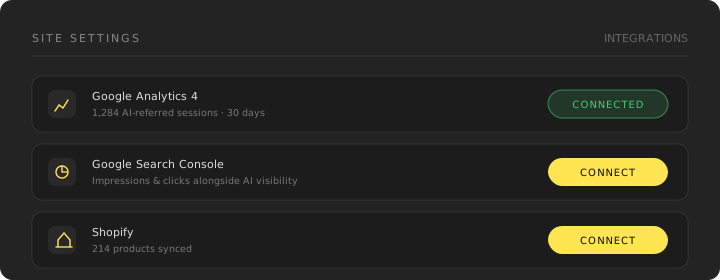
- Open Dashboard → Settings → Integrations for the site you want to connect
- Expand Google Analytics 4 and choose Connect
- Sign in with the Google account that has access to the GA4 property
- Select the property that matches this site and confirm
Permissions
Stride requests read-only access (analytics.readonly). It does not modify
your GA4 configuration, tags, or events.
When an outcome observation is eligible
Stride evaluates an implementation only after the provider data has had a three-day finalization lag. The before and after periods must each contain exactly 28 complete days, bracket the implementation without including its calendar day, and use the exact normalized target-page URL. Each window also needs at least five AI-referred sessions.
When those conditions are met, Stride can say session movement was observed after the work. It does not establish that the work caused the movement.
Disconnecting
Disconnecting removes the stored GA4 credentials, cached provider data, and provider-derived proof observations for that connection. Affected proof records show that the integration is unavailable rather than treating missing data as a result. Stride retains only limited non-sensitive aggregate proof status and a disconnect audit marker where needed for integrity, security, or legal records.
Troubleshooting
No AI-referred traffic showing. This is usually correct rather than broken — AI referral volume is genuinely low for most sites today, and some assistants strip referrer data entirely, making their traffic indistinguishable from direct.
Wrong property connected. Disconnect and reconnect, selecting the correct property.