
Commerce readiness checks whether AI assistants have what they need to recommend your products, not only your brand name, when shoppers ask buying questions. It needs a connected Shopify store, and new Shopify connections open with Stride's Shopify App Store listing.
What it is
For a connected Shopify store, Stride evaluates catalog quality, offer and schema signals, and product-level prompt coverage. It surfaces gaps like thin descriptions, missing images, weak schema, or shopper prompts you're not yet tracking.
This is readiness diagnosis, not order analytics. Stride does not sync revenue, inventory or customer records from Shopify.
Availability
- Already connected stores see the full diagnosis described on this page.
- New stores can't connect yet. Installation starts from Shopify, and new connections open when Stride's Shopify App Store listing is approved. Until then, the page shows a Connect Shopify prompt instead of a diagnosis. See the Shopify integration guide.
- Any store, today: AI Readiness and its commerce protocol checks crawl your site and need no Shopify connection. AI traffic reports GA4 conversions and revenue for each AI source.
Where to find it
Visibility → Commerce in the dashboard sidebar.
How to use it (connected stores)
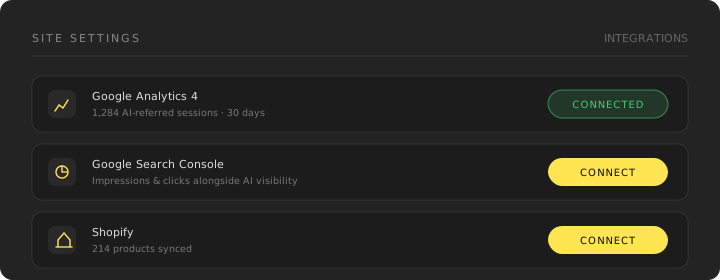
- Check your catalog sync. In Settings → Integrations → Shopify, confirm the last sync time, or choose Sync now.
- Run commerce readiness. Stride scores your catalog across layers: availability, discoverability, and (separately) recommendation outcomes from GEO scans.
- Review gaps. Each issue explains what's missing and why it matters for AI shopping surfaces. Every synced product is checked, and the score and gap counts cover the whole catalog. On large catalogs the list shows the 200 highest-severity product gaps first; fix those and refresh to see the rest.
- Act from Actions. Readiness findings feed the Actions queue as concrete fixes (metadata updates, schema, new product prompts).
- Track product prompts. Accept commerce prompt candidates into your keyword list so scans cover buyer questions about specific products.
What gets evaluated
- Product titles, descriptions, images and structured attributes from Shopify
- Offer and schema signals on product pages
- Whether you're tracking shopper-style prompts for your catalog
- Policy and FAQ coverage where it affects buyer trust
Recommendation outcomes ("are you named in AI answers for product queries?") come from your regular GEO scans. Readiness covers the inputs you control on-site.
How this differs from commerce protocol checks
This page describes the Shopify catalog diagnostic under Visibility → Commerce. AI Readiness separately checks public evidence for ACP, AP2, MPP, UCP and x402 when one of those protocols is detected.
Those protocol checks are optional, non-scoring, and do not require a Shopify connection. They validate only public metadata or payment challenges; they do not prove merchant enrollment, checkout execution or settlement. See AI Readiness for the protocol-by-protocol boundaries.
Plan & limits
Commerce readiness requires an active Shopify connection. Shopify catalog sync is included on Grow and Scale; see Plans & limits for current entitlements.
Stride uses read permissions for product and selected storefront content. Recommendations remain review-required; you decide what changes to publish.
FAQ
Do I need Shopify? For this page, yes. Commerce readiness is built on a connected Shopify catalog, and new connections open with Stride's Shopify App Store listing. Without Shopify you can still track brand-level AI visibility, run AI Readiness and its commerce protocol checks, and see AI revenue in GA4.
Why does this page ask me to connect Shopify? Your site has no active Shopify connection. If your store isn't connected yet, the connection opens with the App Store listing.
Does this replace my Visibility Index? No. The diagnostic index summarizes brand visibility across your prompt set. Commerce readiness is a focused health check for product-level shopping readiness.
Related
- Shopify integration
- AI Readiness
- Scheduled scans
- Actions, where fixes are executed