
Stride re-runs eligible enabled prompts on a schedule so visibility is tracked continuously rather than only when you remember to check.
Scan cadence by plan
Scheduled scan frequency is set by your plan. Every scheduled run uses your entitled engines; higher tiers also cover more prompts and engines overall. See Plans & limits for prompt, topic, and engine allowances.
| Plan | Scheduled cadence | What each run covers |
|---|---|---|
| Starter | Weekly (Mondays, UTC) | Full prompt set — every scheduled scan is a complete measurement |
| Grow | 3× per week (Mon / Wed / Fri, UTC) | Full prompt set on each run |
| Scale | Daily | Most days: priority check (top 100 prompts). Monday UTC: full sweep |
| Agency | That client’s plan | Each client site uses its Starter, Grow, or Scale cadence |
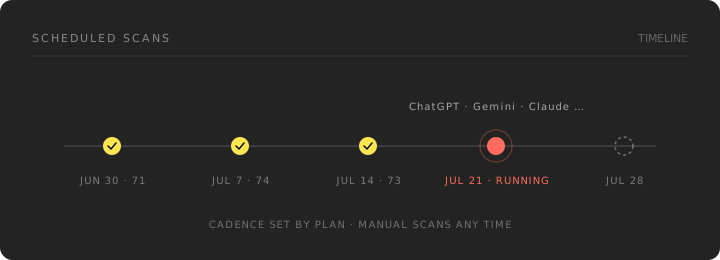
Priority checks vs full sweeps (Scale)
On daily plans, Stride balances freshness with cost:
- Priority check — Re-asks your highest-priority prompts (ones you added yourself and ones sourced from real search traffic first) across every entitled engine. Shows in scan history with a Priority tag. Refreshes prompt-level results without moving your Visibility Index.
- Full sweep — Runs the eligible enabled prompt set, including eligible Topic prompts. Happens on Mondays (UTC) for daily plans. This is what updates your index and trend line.
Manual scans run a full sweep of the same eligible enabled prompt set, regardless of plan.
Automatically suggested prompts that fail the current question check stay visible under Visibility → Prompts → Tracked with Not scanned — needs review. You can Approve for scans if you want a retained prompt measured in the next full sweep. Prompts you add yourself or explicitly approve are not automatically removed from scans by later question checks. Paused and deleted prompts are not scanned. Enabled non-Topic prompts count toward your active-prompt allowance even while awaiting review, but a prompt awaiting review never takes one of your scan slots. Approval does not rewrite past scans.
Scan labels on the Prompts page
Each enabled prompt under Visibility → Prompts → Tracked shows what the next scans will do with it. The labels come from the same selection the scanner uses.
| Label | What happens |
|---|---|
| Scanned daily | Daily plans only: asked in every priority check and in the Monday full sweep |
| Scanned weekly | Daily plans only: asked in the Monday full sweep, not in priority checks |
| (no label) | Asked in every scan on weekly and 3× weekly plans |
| Not scanned — over plan limit | Your plan's prompt slots are full. The most relevant prompts with the most search demand fill them first |
| Not scanned — over topic limit | The prompt's topic is past your plan's topic limit; earlier topics are scanned first |
| Not scanned — topic paused | The prompt belongs to a paused or archived topic |
| Not scanned — needs review | The prompt failed the question check; approve it to scan it |
On Brand plans, prompt slots are shared across every site on your account. On Agency plans, each client site has its own slots.
Manual scans
You can trigger a scan yourself without waiting for the next scheduled run — useful after shipping a significant content or schema change. Manual scans draw from your plan's monthly scan-credit allowance.
Give changes time to land
Running a scan immediately after publishing a change rarely shows a difference. AI engines need to re-crawl and re-index your site first, and some models are retrained on a much slower cycle. Wait days, not minutes.
What happens during a scan
- Your prompt set is sent to each engine included in your plan
- Responses are captured and parsed for brand mentions and citations
- Competitor appearances in the same answers are recorded
- A usable completed full sweep recalculates the diagnostic index and eligible evidence
- Recommendations are regenerated only from eligible evidence
Scans run asynchronously — you can leave the page and come back.
Why results vary between scans
Engines are non-deterministic and get updated by their vendors without notice. Expect run-to-run variation; read the trend rather than any single result.