
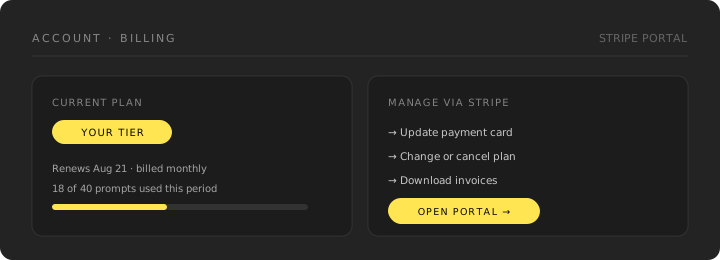
Billing runs through Stripe. Subscription changes are made from the billing section in your account, which opens the secure Stripe portal.
Free trial
Your first Starter, Grow or Scale plan starts with a 7-day free trial. You add a card at checkout, and nothing is charged until the trial ends.
During the trial you get your real plan (its engines, prompts, competitors and topics) with a trial allowance:
- Weekly scheduled scans, whatever your plan's usual schedule
- 3 content drafts, 10 GEO AI Chat credits and 1 manual scan
Account shows Free trial and the date of your first charge. Three days before the trial ends we email the account owner a reminder with the amount.
To stop before you're charged, cancel from the billing portal any time during the trial. Access continues until the trial ends and you pay nothing. If you keep the plan, the first charge starts your full allowance and your plan's scan schedule straight away.
There's one trial per account. Agency plans, and a new plan after a cancellation, are billed from the first day.
Upgrading
Upgrades take effect immediately so you get the higher allowances right away. Billing is prorated for the remainder of the period.
Downgrading
Downgrades take effect at the end of your current billing period, so you keep what you've paid for until then.
Check your usage before downgrading
If you're tracking more sites, prompts or competitors than the lower plan allows, reduce them before the downgrade takes effect.
Payment details
Update your card in the Stripe billing portal. Stride never stores your card details.
If a renewal payment fails, nothing changes for 7 days while Stripe retries the card: scans keep running and every feature stays available. After 7 days the workspace becomes read-only (see below) until the invoice is paid, and then everything resumes.
Cancelling
Cancel from the billing portal. Access continues until the end of the period you've already paid for.
After Stripe confirms the cancellation, Account shows Cancellation scheduled and the date access ends instead of a renewal date. You can return to the Stripe portal from there if you decide to keep the plan.
When your subscription ends the workspace becomes read-only:
- Scheduled scans stop — no new automatic scans run after access ends
- Your data stays readable — scan history, prompts, reports, Analytics answer maps and connected integrations remain visible, but nothing that spends an allowance runs: no manual scans, content drafts, GEO AI Chat, or automatic syncs
- Starting a plan again restores everything as it was
- Data after closure — per our privacy policy, we delete or de-identify customer data within a reasonable period after account closure, except where retention is required by law or for legitimate dispute/security needs
Disconnecting Google Analytics or Search Console removes the connection's credentials, cached provider data, and provider-derived proof observations. A limited non-sensitive aggregate status and disconnect audit marker may remain where needed for integrity, security, legal, or dispute purposes.
To request deletion of specific data or ask about export before canceling, email hello@strideftw.com. We do not publish fixed day counts in the product — timelines depend on what must be kept for legal, billing, or security reasons. See the Privacy Policy for details.
Prepaid scan, content and GEO AI Chat credit packs never expire. While the account is read-only they cannot be spent; resubscribe and the remaining balance is there to use. Plan allowance carried over from earlier months is different: canceling removes it (see Plans & limits).
Invoices
Past invoices and receipts are available in the Stripe billing portal. Only the account owner can open the portal; members see the plan name and renewal date only. See Shared account access.